On this page
- What HTML5 actually means here
- The canvas and the coordinate system
- The frame loop and delta time
- Why there are no image files
- Sound without audio files
- Performance in practice
- Accessibility in a canvas game
- Logical pixels, physical pixels and why the canvas lies
- Sound without audio files
- What the browser gives us for free
What HTML5 actually means here
'HTML5 game' is a loose term that mostly means 'runs in a browser without a plugin'. Concretely, the games on this site use four browser features and nothing else:
- The canvas element and its 2D drawing context, for everything you see.
- requestAnimationFrame, for scheduling frames.
- The Web Audio API, for sound synthesised at run time.
- localStorage, for remembering favourites, preferences and best scores.
No WebGL, no framework, no game engine, no build step, no third-party runtime. A game page loads two JavaScript bundles and a stylesheet, and that is the whole dependency list. The practical consequence is that these games start in well under a second on a mid-range phone, which matters more for a browser game than almost anything else.
The canvas and the coordinate system
A canvas is a rectangle of pixels you draw into with a small imperative API: move here, draw a rectangle, fill it with this colour. There are no objects on a canvas after you draw them — the browser does not remember that you drew a monster, only that some pixels are green.
That is why every frame redraws everything from scratch. Sixty times a second, each game clears its canvas and draws the entire scene in order: background, scenery, collectibles, enemies, player, effects, HUD. It sounds wasteful and it is far cheaper than tracking what changed.
Logical size versus physical size
Every game declares a logical size — say 900 by 520 — and works entirely in those coordinates. The canvas's actual pixel buffer is that multiplied by the device pixel ratio, capped at 2. On a phone with a 3× display, rendering at 3× would cost more than twice the pixels of 2× for a difference almost nobody can see.
CSS then scales the canvas to fit the page, preserving aspect ratio, which is how one set of coordinates works on a 320-pixel phone and a 1920-pixel desktop without the game knowing anything about either.
The frame loop and delta time
The loop is driven by requestAnimationFrame, which asks the browser to call you back just before it paints. This is strictly better than a timer: it synchronises with the display, it stops entirely when the tab is hidden, and it adapts to whatever refresh rate the screen actually runs at.
Because refresh rates vary — 60 Hz, 90 Hz, 120 Hz, or anything at all under load — nothing in the game moves 'per frame'. Everything moves per second, multiplied by the elapsed time since the last frame. A creature at 200 pixels per second moves 200 * dt pixels, which covers the same ground on any display.
Why dt is clamped
If the machine stalls or the tab is backgrounded, the next frame might arrive half a second later. Multiplying by a dt of 0.5 would teleport everything half a second into the future, straight through walls and collision checks.
So dt is capped at one twentieth of a second. A long stall produces one slightly large step rather than a catastrophe, and anything longer than that pauses the game instead — because catching up on missed time is either unfair or impossible.
Why there are no image files
There is not a single sprite sheet, texture or PNG used by any game on this site. Every creature, platform, gem and background is drawn at run time from canvas primitives: circles, rounded rectangles, paths and gradients.
This is unusual and the reasons are practical rather than ideological:
- Size. A game file is a few kilobytes of code rather than hundreds of kilobytes of images. The whole site is smaller than a single screenshot of most browser games.
- Resolution independence. Vector-style drawing is sharp at any device pixel ratio without shipping multiple asset sizes.
- Parameterisation. A creature is a function taking a colour, a size and an animation phase, so one draw call covers thirty variants across thirty games.
- Provenance. Artwork that is code we wrote is unambiguously ours. There is no question of licensing or attribution anywhere in the library.
The trade-off is real: procedural art has a ceiling on detail, and a hand-painted sprite will always look richer up close. For a stylised arcade look at arcade speeds, it is a trade worth making.
Sound without audio files
The same approach applies to audio. Every sound effect in the library is synthesised at run time from oscillators and filtered noise using the Web Audio API — a jump is a triangle wave sweeping from 320 Hz to 660 Hz over 130 milliseconds, a boss roar is two detuned sawtooth waves plus low-passed noise.
No audio files are downloaded, the sounds are original by construction, and the whole audio layer costs a few kilobytes of code.
There is one important browser rule this has to respect: autoplay policy. A browser will not let a page create and run an audio context until the user has interacted with it. So the audio graph is built lazily on the first real gesture — the moment you press Start. Before that, nothing exists and nothing can make a sound.
Performance in practice
The things that actually cost frames in a canvas game are not the ones people expect.
| Cost | Why it matters | What we do |
|---|---|---|
| Allocation | Creating objects in the loop causes GC pauses mid-run | Pooled particles, enemies, projectiles and collectibles |
| Gradients | Creating a gradient object every frame is genuinely expensive | Created once per frame at most, never per entity |
| Canvas state | save/restore pairs add up at hundreds per frame | Batched by draw type where possible |
| DOM writes | Touching the DOM during a frame can force layout | HUD values are cached and only written when the text changes |
| Overdraw | Drawing the same pixels repeatedly | Off-screen entities are culled before drawing, not inside it |
The particle system is the clearest example. It allocates a fixed pool up front — 200 to 300 particles — and recycles them forever. A ten-minute run produces thousands of bursts and zero new objects, which keeps the heap flat and the garbage collector quiet during play.
Accessibility in a canvas game
A canvas is a black box to assistive technology. It has no internal structure, so a screen reader sees one image and nothing else. That is a real limitation and pretending otherwise would be dishonest.
What we do about it:
- Every overlay is real HTML. Start, Pause, Resume, Restart and the game-over screens are actual buttons, keyboard reachable and announced properly.
- The canvas carries a descriptive label pointing at the written instructions below it, which are complete enough to understand the game without seeing it.
- Touch controls are real buttons too, not regions painted on the canvas.
- prefers-reduced-motion is respected: particle counts drop, screen shake is disabled entirely and parallax layers flatten.
What we cannot currently do is make a fast action game playable without sight. That is a genuine gap, we would rather name it than imply it does not exist, and reports from people who hit it shape what we build next.
Logical pixels, physical pixels and why the canvas lies
Every game here is written against a fixed logical coordinate space and then drawn at whatever resolution the display actually has. The separation is what makes one codebase work identically on a phone and a 4K monitor.
The game logic never knows about real pixels. A platform is at logical x=340 regardless of whether the canvas is 800 or 2400 device pixels wide, and the rendering layer scales at draw time. This means physics is deterministic across devices — the same input produces the same result on every screen, which would not be true if speeds were expressed in real pixels.
Device pixel ratio is capped at 2. A phone reporting 3× would otherwise render 2.25 times as many pixels as a 2× device for a difference almost nobody can see, at a cost in frame rate that everybody can feel. The cap is the single most effective performance decision in the whole engine.
Pointer input runs through the same transform in reverse: a touch at a real screen position is converted back into logical coordinates before any game code sees it, which is why tapping works correctly at any zoom level or window size.
Sound without audio files
There is not a single audio file on this site. Every sound is generated in the browser at the moment it plays, from oscillators and filtered noise.
A jump is a short sine sweep upward. A land is a filtered noise burst with a fast decay. A roar is two detuned sawtooth oscillators low in the register with a slow envelope. A collection is a brief triangle tone whose pitch rises with your current multiplier — which is why a high chain literally sounds higher.
The benefits are practical. Nothing to download, so audio never delays a game starting. No licensing questions, because nothing was sampled from anywhere. No memory held by decoded buffers. And parameters can respond to game state continuously in a way that playing back a file cannot.
The cost is that synthesised sound has a specific character — clean, electronic, unmistakably generated. That suits an arcade game and it would not suit everything, and it is a trade we would make again for a site where a game must start in under a second.
What the browser gives us for free
The set of Web APIs these games rely on is short, and every one of them is standard, built in, and requires no library.
- Canvas 2D for all rendering. Every creature, every scene, every particle is drawn with shapes rather than loaded as an image.
- requestAnimationFrame for the loop, which synchronises with the display refresh and stops when the tab is hidden.
- Web Audio for sound synthesis.
- Pointer and keyboard events for input, unified so touch and mouse take the same path.
- localStorage for your bests and preferences.
- Page Visibility for pausing.
That is the complete list. There is no framework, no game engine, no bundler output from a toolchain, and no third-party analytics or tag manager. The entire site is hand-written HTML, CSS and JavaScript served as static files — which is why a game page is interactive within a second of the request, on hardware that struggles with most of the modern web.
Key takeaways
- These games use four browser features: canvas 2D, requestAnimationFrame, Web Audio and localStorage. Nothing else.
- Everything moves per second multiplied by delta time, so the game runs identically at 60 Hz and 120 Hz.
- Delta time is clamped at one twentieth of a second so a stall cannot teleport objects through walls.
- There are no image or audio files anywhere — art and sound are generated in code, which keeps the site tiny and the provenance unambiguous.
- Object pooling, not clever drawing, is what keeps frame times flat during a long run.
Frequently asked questions
Do these games use WebGL?
No. They use the 2D canvas context, which is more than fast enough for this style of game and works on a wider range of devices.
Why is there no sound until I press Start?
Browser autoplay policy. An audio context cannot be created until the user interacts with the page, so the whole audio graph is built lazily on your first gesture.
Why do the games look sharp on a high-DPI phone?
The canvas backing store is scaled by the device pixel ratio, capped at 2× — beyond that the cost roughly doubles for a difference almost nobody can see.
Can I play with a screen reader?
All controls, overlays and written instructions are accessible, but the play area itself is a canvas and is not. That is a real limitation we would rather state than imply away.
Do the games work offline?

Alex Morgan
Browser Games Editor & Interactive Gaming Content Specialist
Alex Morgan is the editorial byline for everything published on Monster Arcade — the design notes behind all 30 original games, the strategy guides, and the tuning decisions that set every difficulty curve on the site. More about our editorial byline.
Published · Last updated
Games mentioned in this guide
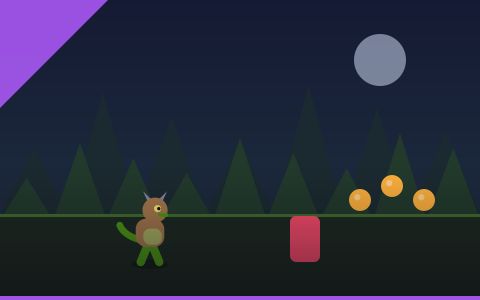
Monster Dash
Two actions, endless forest, instant restart. The best first game on the site.
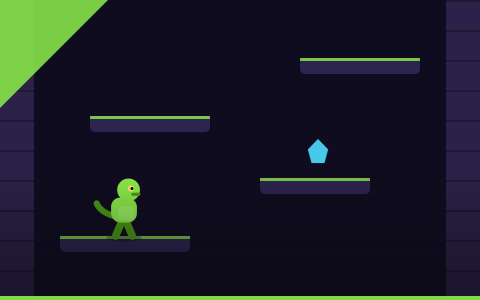
Monster Tower
An endless procedural tower. Every floor is generated, so memorising it is worthless.

Monster Tunnel
Thread a narrowing tunnel with two inputs. The smoothest difficulty curve on the site.

Rolling Beast
Steer a rolling creature over desert dunes. Momentum is everything and it never stops building.