On this page
Grip determines which games you can play
This sounds trivial and it is the biggest practical factor in mobile play.
- One hand, standing — only tap-anywhere games work. One-Tap Monster and Monster Jump Challenge.
- Two hands, phone held in both — every two and three-button game works well. This is the standard grip for the runners.
- Phone resting on a surface — best for stick-based games, where a stable base makes fine movement much easier.
If a game feels impossible on your phone, try changing grip before concluding it is the game. Stick-based games in particular are dramatically better with the phone supported.
Gain screen area, then keep it
Two free improvements most people never make.
Landscape. Every game is built around a wide play area. Portrait letterboxes it, which on a typical phone loses roughly half the usable space.
Fullscreen. Every game bar has a fullscreen control. It removes browser chrome and address bar, which on some phones is a surprising amount of vertical space, and it stops accidental pull-to-refresh.
Together they usually gain enough area that a game that felt cramped becomes comfortable.
Battery and heat
These games are deliberately cheap to run. The canvas backing store is capped at 2× device pixel ratio rather than rendering at native 3×, which more than halves the pixel cost for a difference almost nobody can see at arm's length.
Games also pause entirely when backgrounded — the loop stops rather than idling — so a paused tab costs nothing.
If your phone gets warm, the usual cause is other tabs rather than the game. Closing them is a more effective fix than anything available inside a game.
Interruptions are handled
A phone break gets interrupted, and that is designed for rather than tolerated.
Every game pauses automatically when the tab is backgrounded. A call, a notification that pulls you away, or switching apps pauses your run rather than ending it, and resuming puts you back exactly where you were with your score intact.
The pause screen says explicitly that the game paused because you left the tab, so returning to a paused game is never confusing.
Which games to avoid on a small screen
Honest recommendations rather than universal enthusiasm:
- The adventure games — long runs on a small screen, and Pixel Monster Adventure in particular has a large map with no minimap. Better seated, better on a bigger screen.
- The battle games — a stick plus two action buttons is the most demanding layout here on any device.
- Monster Cannon Challenge — drag-to-aim works, but fine angle adjustment is genuinely easier with a mouse.
Everything in the reflex and runner categories is excellent on a phone, and the platformers are comfortable.
Grip and thumb reach
Most of the difference between a comfortable mobile session and an awkward one is how you are holding the phone, and it is worth two minutes of experimenting.
Two thumbs on a landscape phone is the best layout for anything with movement and a jump, because each thumb owns one control and neither has to travel. One thumb in portrait is fine for the one-button games and poor for everything else — a single thumb covering two buttons will eventually be on the wrong one at the wrong moment.
If a game feels harder on your phone than it looks, try rotating to landscape before concluding anything about the game. The stage is wider, the controls move further apart, and several games become noticeably easier for no other reason.
Add it to your home screen
A small convenience that is genuinely worth the twenty seconds.
The site ships a web app manifest, so most mobile browsers will offer to add it to your home screen. Doing so gives you an icon, a standalone window without browser chrome, and shortcuts straight to the games list, the random picker, your favourites and the guides.
It does not make the games work offline — they are still fetched normally — and we are not going to claim otherwise. What it does is remove two taps and a fair amount of vertical space, which on a phone is most of the benefit anyway.
Small settings that matter
Four device-level adjustments improve mobile play more than any in-game technique.
- Turn off auto-rotate once you are in landscape. A rotation mid-run resizes the canvas and interrupts you at the worst moment.
- Enable do-not-disturb. A notification banner covers part of the stage and steals the touch that was meant for a button.
- Turn the brightness up. The cave and shadow games rely on contrast between dark areas, and a dimmed screen genuinely hides hazards.
- Use headphones or turn the volume up. Audio cues carry real information, particularly in the boss fights, and a phone speaker at low volume loses the low frequencies the roars live in.
None of these is about skill and all of them are worth more than an hour of practice, which is a reasonable definition of low-hanging fruit.
Playing one-handed
Sometimes two hands are not available, and a few games remain genuinely playable with one thumb.
The one-tap and reflex games are designed for exactly this: a single large button, no movement, nothing requiring simultaneous input. Portrait orientation works fine for them, and nothing about the experience is compromised.
Everything else degrades. A single thumb covering two buttons will eventually be on the wrong one, and the games that need movement plus an action are not worth attempting one-handed unless you are happy to lose to the controls rather than to the game. The games index filters by category, which makes finding the one-button set a single click.
Key takeaways
- Grip decides which games work: one hand for tap games, two for buttons, a surface for stick games.
- Landscape plus fullscreen usually turns a cramped game into a comfortable one.
- The canvas is capped at 2× device pixel ratio and games pause entirely when backgrounded.
- Adventure and battle games are the weakest on a small screen; reflex and runner games are the strongest.
Frequently asked questions
Should I play in portrait or landscape?
Landscape, always. Every game is built around a wide play area and portrait loses roughly half the usable space.
Will these games drain my battery?
Less than most browser games — the canvas is capped at 2× device pixel ratio and the loop stops entirely when the tab is backgrounded.
What happens if I get a call mid-run?
The game pauses automatically. Returning puts you back exactly where you were with your score intact.
Does adding the site to my home screen make it work offline?
Why does the game feel slower after a long session?

Alex Morgan
Browser Games Editor & Interactive Gaming Content Specialist
Alex Morgan is the editorial byline for everything published on Monster Arcade — the design notes behind all 30 original games, the strategy guides, and the tuning decisions that set every difficulty curve on the site. More about our editorial byline.
Published · Last updated
Games mentioned in this guide
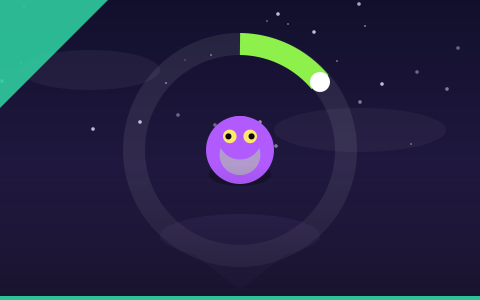
One-Tap Monster
One button, one rule: tap when the ring lines up. The purest timing game on the site.
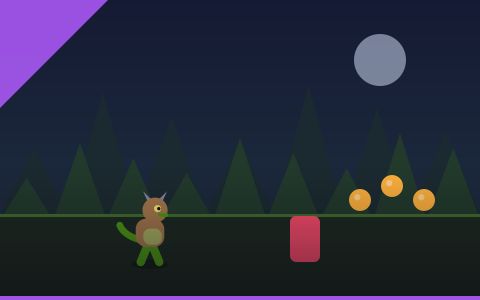
Monster Dash
Two actions, endless forest, instant restart. The best first game on the site.

Monster Tunnel
Thread a narrowing tunnel with two inputs. The smoothest difficulty curve on the site.
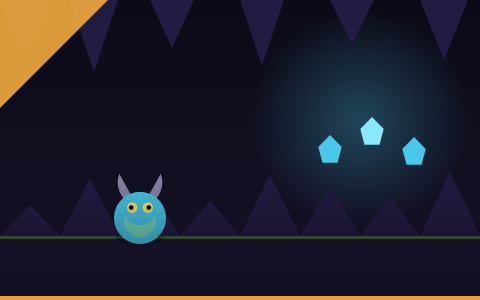
Monster Cave Quest
Explore a branching cave for twelve treasures, then find the way out before your lantern dies.