On this page
- Designed for a thumb, not adapted for one
- Where the controls go and why
- Which games work one-handed
- What actually changes on a phone
- Performance on a phone
- Which games are best on touch
- Practical mobile habits
- Battery, heat and frame rate
- The things we got wrong first
- What changes between desktop and mobile
- Which games work best on a phone
- Data, and what a game actually costs to load
Designed for a thumb, not adapted for one
Most browser games treat mobile as a port. The desktop version is built first, and then a joystick is painted over the bottom-left corner and the game is declared mobile-friendly.
The result is predictable: controls that overlap the play area, buttons too small for a thumb, and a virtual stick in a game that needed one button. It works in the sense that inputs are registered, and it does not work in the sense that anyone enjoys it.
Every game here declares its touch layout as part of its configuration, alongside its keyboard mapping, and both were decided at the same time. A game that needs one button on a keyboard gets one button on touch. A game that needs eight-way movement gets a stick. Nothing gets a stick because sticks are what mobile games have.
Where the controls go and why
| Layout | Used by | Why |
|---|---|---|
| Tap anywhere | One-Tap Monster, Monster Jump Challenge | One input means the whole play area can be the button |
| Screen halves | Monster Tunnel | Upper half rises, lower half descends — nothing covers the tunnel |
| Two large buttons | Monster Dash, Falling Monster Frenzy | Bottom corners, where thumbs rest |
| Three buttons | Beast Run, Endless Monster Run, Giant Monster Rush | Two in the right corner, one wide on the left |
| Stick plus buttons | Arena and adventure games | Free movement genuinely needs a stick |
Buttons sit in the lower corners because that is where a thumb naturally rests when a phone is held. They are deliberately large — comfortably above the 44-pixel minimum most guidance suggests — and they are positioned away from the centre of the play area so a mis-tap does not cost a run.
Monster Tunnel is the clearest illustration of designing rather than porting. It could have used two buttons; instead the play area is split horizontally, because in a game about tracking a moving gap, a button overlapping the gap is worse than no button at all.
Which games work one-handed
Genuinely one-handed means: held in one hand, controlled by that hand's thumb, no second hand involved. Two games on the site qualify:
- One-Tap Monster — a single tap anywhere. The best game here for playing while standing.
- Monster Jump Challenge — tap and hold anywhere to charge, release to jump.
Monster Tunnel is nearly there: it needs only one thumb, but holding a large phone steady while your thumb moves between screen halves is awkward. It is comfortable seated and fiddly standing.
Everything else needs two hands. The runners need two thumbs for two buttons, and the arena and adventure games need a stable grip for the stick.
What actually changes on a phone
Three things differ in ways worth knowing about, and only one of them is about the controls.
You cannot see as far
A phone screen is smaller and closer, which sounds neutral and is not. Peripheral vision covers proportionally more of the screen, which genuinely helps in games where you should be watching the edges — runners in particular — and hurts in games with fine detail near the centre.
Your hand covers part of the screen
Unavoidable, and the reason controls live in the corners. It is also why the HUD in every game sits along the top rather than the bottom.
Interruption is normal
A phone break gets interrupted. Every game pauses automatically when the tab is backgrounded, so a call pauses your run rather than ending it, and resuming puts you back exactly where you were.
Performance on a phone
These games are deliberately cheap to run, and the reasons matter more on mobile than anywhere else.
The canvas backing store is capped at 2× device pixel ratio. On a phone with a 3× display, rendering at native resolution would cost more than twice the pixels for a difference almost nobody can perceive at arm's length — and on a phone, those pixels come out of the battery.
Particle counts are also reduced when the device requests reduced motion, and screen shake is disabled entirely. Both of those are accessibility features first and performance features second, but on an older phone the difference is noticeable.
If a game does run poorly, the usual cause is a browser tab count rather than the game. Closing other tabs is a more effective fix than anything we can do at our end.
Which games are best on touch
| Category | Mobile quality | Notes |
|---|---|---|
| Reflex | Excellent | One or two inputs; several are one-handed |
| Runner | Excellent | Two large buttons, designed for thumbs |
| Platformer | Good | Three buttons; variable jump height works by hold length |
| Collection | Good | Stick-based but forgiving of imprecision |
| Adventure | Fair | Long runs on a small screen; better seated |
| Battle | Demanding | Stick plus two buttons; the hardest category on touch |
If you are new to arcade games on a phone, start in the reflex or runner categories. If the battle games feel impossible on touch, that is not you — they are the most demanding thing here on any input device, and a stick plus two action buttons is genuinely harder than a keyboard and mouse.
Practical mobile habits
- Rest your thumb on the button between presses rather than hovering above it. Hovering adds travel time on every single input.
- Play in landscape. Every game is designed around a wide play area, and portrait letterboxes it into a much smaller space.
- Turn sound on if you can. Audio cues arrive slightly faster than visual ones for most people, and phones are frequently played muted.
- Use the pause button rather than switching apps if you want to stop deliberately — it is faster to resume.
- Try fullscreen. Every game page has a fullscreen control in the game bar, which removes the browser chrome and gains meaningful screen area.
Battery, heat and frame rate
A phone that has been running a canvas game for fifteen minutes is warmer than it was, and a warm phone is a slower phone. Thermal throttling is real and it is the most common reason a game that felt smooth at the start of a session feels heavy at the end of one.
There is a limited amount we can do about it from inside the page, and we do what there is: the device pixel ratio is capped at 2, so a phone advertising 3× does not render more than twice as many pixels as it needs to; the render loop pauses entirely when the tab is hidden; and no game allocates objects per frame, so the garbage collector is not adding work on top.
What is left is physical. If frame rate drops noticeably deep into a long session, put the phone down for a minute — it will recover, and it will recover faster than you would by closing tabs.
The things we got wrong first
Worth being concrete about, because the mistakes are the standard ones.
Our first touch layout put a virtual joystick on every game, including the ones needing a single button. It worked and it was miserable — a stick for a one-button game adds imprecision to an input that had none.
The second version put buttons at fixed pixel positions, which meant they were comfortable on one phone and unreachable on a larger one. They are now positioned relative to the play area and sized relative to the viewport.
The third mistake took longest to notice: the original buttons only released on pointer-up. A thumb sliding off a button left the input stuck on, which produced the worst possible bug — a game that occasionally behaves as though you are holding a key you are not. They now release on pointer-leave and pointer-cancel as well.
None of these are exotic. They are what you get when mobile is treated as a port, and they are the reason touch layouts are now declared per game alongside the keyboard map.
What changes between desktop and mobile
The games are the same games — no mechanic is removed and no difficulty is adjusted — but four things about presentation adapt.
- Control surface. Keyboard bindings are replaced by on-screen buttons declared per game, so a one-button game gets one button rather than a generic layout.
- Stage proportions. The logical play area keeps its aspect ratio and scales, so nothing is cropped and no player sees less of the world than another.
- HUD density. Secondary readouts move or condense on narrow screens. Nothing essential is removed.
- Render resolution. Capped at 2× device pixel ratio, as everywhere else.
What explicitly does not change is difficulty. It would be easy to quietly widen timing windows on touch devices, and it would make every score incomparable with every other score — including your own, across devices. A best is only meaningful if the game that produced it was the same game.
Which games work best on a phone
Not all thirty translate equally well, and being honest about that is more useful than claiming they do.
Excellent on touch: the reflex and one-tap games. A single large button is arguably a better input than a key, and these games lose nothing.
Very good: the runners. Two or three buttons, each with a distinct job, no simultaneous presses required.
Good with practice: the platformers and collection games. Movement plus jump on a touchscreen takes a session to become comfortable and then feels fine.
Hardest on touch: the battle games. Movement, attack and dash at once is genuinely more demanding with thumbs than with two hands on a keyboard, and anyone telling you otherwise has not played both.
If you have a keyboard available and you want to play Ultimate Monster Challenge seriously, use it. If you do not, the game is still entirely playable — it is simply asking more of you than it asks of a desktop player.
Data, and what a game actually costs to load
A game page here transfers a small, fixed amount and then nothing at all.
Because there are no images, no sprite sheets, no audio files and no fonts loaded from elsewhere, what arrives is HTML, two stylesheets, two JavaScript bundles and the game's own file. All of it is text, all of it compresses well, and after the first game you open, the shared bundles are cached — so the second game costs only its own script.
Nothing is fetched during play. Once a game has started it makes no further network requests of any kind, which means a run continues perfectly on a train going through a tunnel, and a weak connection affects loading rather than playing.
This is the practical benefit of drawing everything procedurally. The artwork costs processing time rather than bandwidth, and processing time is something even a modest phone has more of than a poor mobile connection has throughput.
Key takeaways
- Touch layouts were declared alongside keyboard mappings, so a one-button game gets one button rather than a joystick.
- Controls sit in the lower corners because that is where thumbs rest, and away from the play area so a mis-tap is not fatal.
- One-Tap Monster and Monster Jump Challenge are genuinely one-handed; everything else needs two.
- Games pause automatically when backgrounded, so an interruption pauses your run rather than ending it.
- Reflex and runner games are the strongest categories on touch; battle games are the most demanding.
- Our own early mistakes were the standard ones: a stick on every game, fixed pixel positions, and buttons that only released on pointer-up.
Frequently asked questions
Do all 30 games work on a phone?
Yes, all of them, with touch layouts declared per game rather than a single generic control scheme applied to everything.
Which games can I play one-handed?
One-Tap Monster and Monster Jump Challenge. Monster Tunnel is close but awkward standing.
Should I play in portrait or landscape?
Landscape. Every game is built around a wide play area and portrait letterboxes it into a much smaller space.
Why does my phone get warm playing these?
It should not much — the canvas is capped at 2× device pixel ratio and games pause entirely when backgrounded. Sustained warmth usually means many other tabs are open.
Are mobile versions easier than desktop?

Alex Morgan
Browser Games Editor & Interactive Gaming Content Specialist
Alex Morgan is the editorial byline for everything published on Monster Arcade — the design notes behind all 30 original games, the strategy guides, and the tuning decisions that set every difficulty curve on the site. More about our editorial byline.
Published · Last updated
Games mentioned in this guide

One-Tap Monster
One button, one rule: tap when the ring lines up. The purest timing game on the site.
Monster Dash
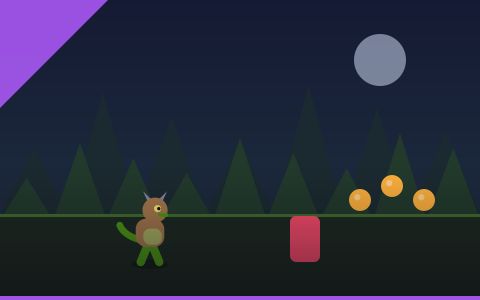
Two actions, endless forest, instant restart. The best first game on the site.

Monster Tunnel
Thread a narrowing tunnel with two inputs. The smoothest difficulty curve on the site.
Monster Jump Challenge
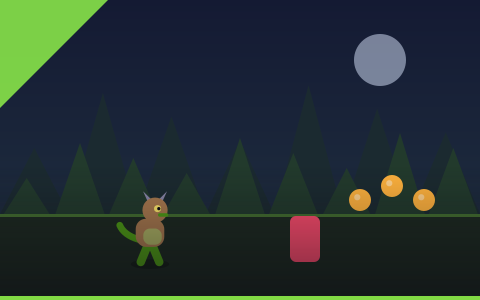
One button, twenty platforms. A pure jump-timing test that teaches the skill in ninety seconds.
Monster Arena
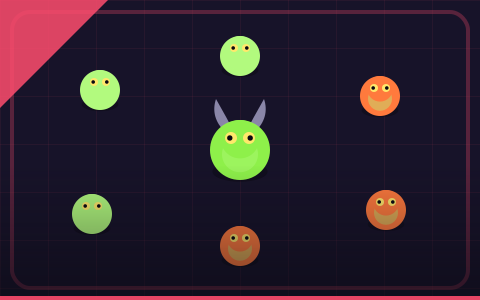
Clear each round of creatures, then pick one of three permanent upgrades. Builds compound fast.